News detail
MyGO!!!!!公式プレイリスト ライブラリ追加キャンペーン実施!
アニメ「BanG Dream! It's MyGO!!!!!」#12 劇中歌MyGO!!!!!「迷路日々」の音楽配信を記念して、MyGO!!!!!公式プレイリストのライブラリ追加キャンペーンを実施いたします! キャンペー [...]
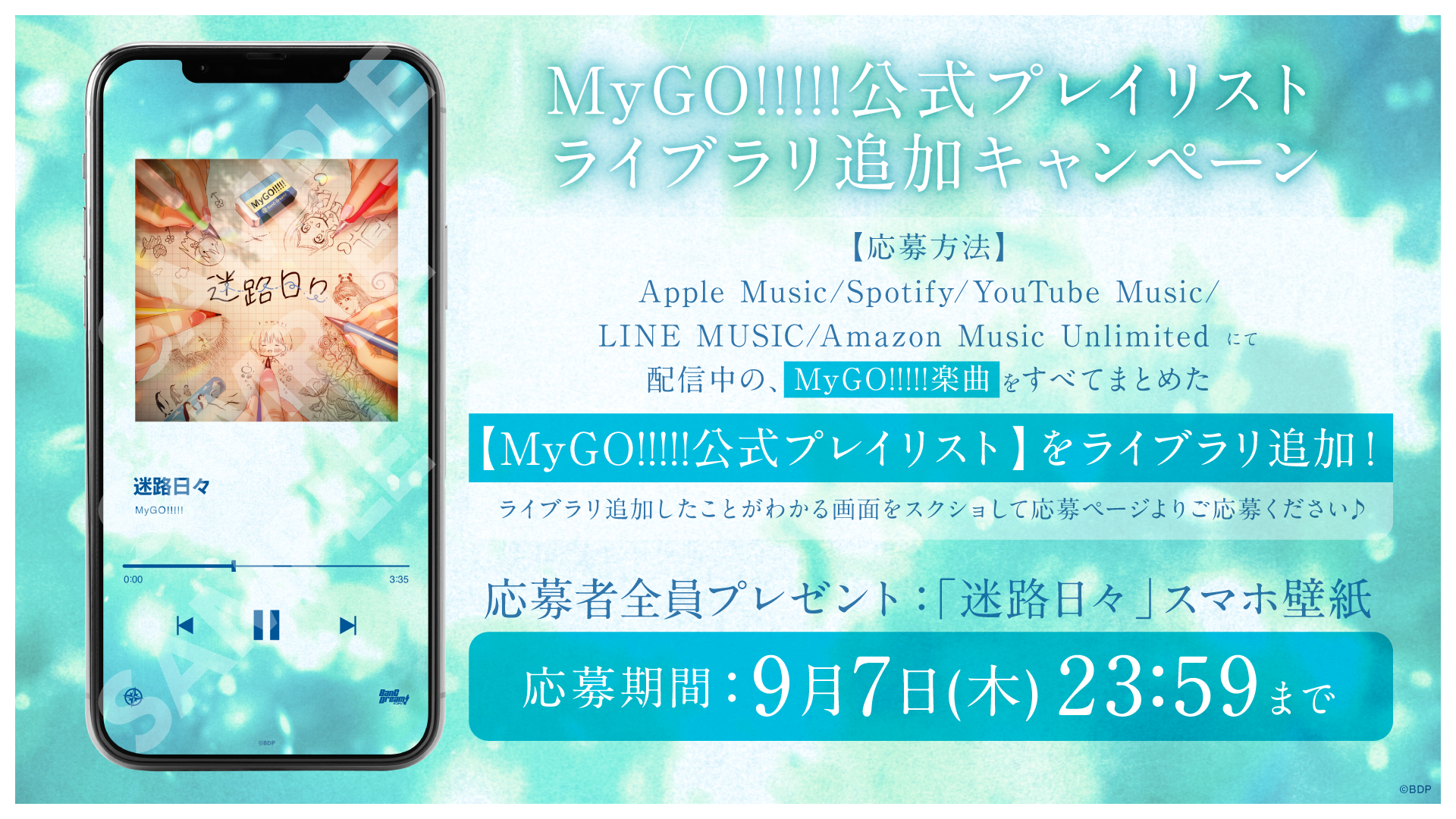
Anime 「BanG Dream! It's MyGO!!!!!」#12 Insert Song
To commemorate the music distribution of MyGO!!!!!「迷路日々」, we will be running a library addition campaign for the MyGO!!!!! official playlist!
Campaign Participation Period Until September 7, 2023 (Thursday) 23:59
Prize 「迷路日々」 Music Playing-style Smartphone Wallpaper (for all applicants)
※The smartphone wallpaper is available in only 1 size. Please adjust the size to fit your smartphone.
※Secondary distribution and modification of the smartphone wallpaper is prohibited.
※Using the smartphone wallpaper in activities that harm the image of this content is prohibited.
Campaign Target Services Apple Music、Spotify、YouTube Music、LINE MUSIC、Amazon Music Unlimited
How to Apply
Application Form 【https://form.run/@MyGOPlaylistCP】
Please apply by submitting a screenshot image showing that you have added the MyGO!!!!! official playlist to your library and filling in the required information.
Please check below for how to add to your library on each service.
【For Apple Music】
①MyGO!!!!! official playlist (https://music.apple.com/jp/playlist/mygo/pl.u-4JomrmGTJ0xdAN7)Open.
②Tap the + mark

③Take a screenshot of the screen that changed to the ↓ mark

【For Spotify】
①MyGO!!!!! official playlist (https://open.spotify.com/playlist/5ROVU78CDtUZF3c1mLHHcL?si=65566c876a0f4fb3)Open.
②Tap the + mark

③Take a screenshot of the screen that changed to a checkmark

【For YouTube Music】
①MyGO!!!!! official playlist (https://music.youtube.com/playlist?list=PLUFFl4hYd1R3ZP_lzxF48iIfjbT0ayxWw&si=DMQK1oboCG5-vebE)Open.
②Tap the + mark

③Take a screenshot of the screen that changed to a checkmark

【For LINE MUSIC】
①MyGO!!!!! official playlist (https://lin.ee/g73wzVI)Open.
②Tap the heart mark

③Take a screenshot of the screen where the heart mark changed to red

【For Amazon Music Unlimited】
①MyGO!!!!! official playlist (https://music.amazon.co.jp/user-playlists/a6cbea67b0e4495281b5a947f539d730jajp?ref=dm_sh_de5b-3394-7b83-bbf4-f78cb)Open.
②Tap the + mark

③Take a screenshot of 「ライブラリに追加されました」 so that the text is clearly visible

SetlistUpdated 2026-02-17